Building on Vega
This page records how Vega OS behaved for Dice Chess on the Vega Virtual Device (SDK 0.24.12112, OS 1.2). Where a statement rests on something else, such as unit tests, Amazon’s documentation or Amazon’s developer forum, it says so. Nothing here has been checked on a Fire TV Stick yet. The friction log has the steps and evidence for the obstacles linked from this page.
Remote Input & Navigation
Section titled “Remote Input & Navigation”Vega delivers remote keys through several APIs. On SDK 0.24 one of them aborts the app, and two cannot be used together. What each one did on the Virtual Device:
| Channel / API | Behavior on Vega OS | Outcome in Dice Chess TV |
|---|---|---|
UserInputManager.addListener (static) |
Aborts the JavaScript thread with SIGABRT on SDK 0.24. |
Unusable. |
useAddUserInputListenerCallback |
Subscribed to every key, it delivers nothing while useTVEventHandler is also mounted, and reports no error. |
Not used. |
useTVEventHandler |
Delivers the arrows, OK and Back, but cannot claim an event. | Used for the arrows, OK and Menu. |
useKeplerBackHandler |
Claims Back. When no handler returns true, it calls exitApp() itself. |
Used for Back only. |
The Three Names of OK
Section titled “The Three Names of OK”OK does not arrive under a single identifier. Depending on where the key originates, it is reported under three distinct names:
enter: Sent by the Virtual Device when Return is pressed on the computer’s keyboard (measured with a Mac).kpenter: Delivered by the Virtual Device’s on-screen remote skin (KEY_KPENTER). On-screen remote clicks were ignored until this mapping was added.select: The name Amazon’sHWEventdocumentation gives for OK. We found no way to make the Virtual Device send it: its virtual keyboard does not declareKEY_SELECT(FL-08).
Amazon staff said on Amazon’s developer forum on 31 August 2026, in another developer’s bug report, that for React Native 0.83 apps Vega OS 1.2 delivers the raw, lower-case key name, so a remote’s OK arrives as enter, and that a future Vega OS release will normalise it to select. Neither that answer nor the documentation mentions kpenter (FL-03).
native/src/useRemoteInput.ts treats all three names as OK, so the app acts on OK under any of them.
Verification: on the Virtual Device, enter from a Mac keyboard drove a whole turn on 22 September 2026, and on 24 September a diagnostic build that printed raw events showed kpenter from the on-screen remote. kpenter was also checked with KEY_KPENTER sent through the emulator’s gRPC API. A unit test (native/test/input.test.tsx) checks that all three names act as OK; it runs against stand-ins for the Vega packages, so it checks the mapping, not what Vega sends. What a Fire TV Stick’s remote sends has not been checked.
Handling the Back Button
Section titled “Handling the Back Button”useTVEventHandler sees Back but cannot claim it, and a Back that nothing claims closes the app. Handled only there, Back would cancel nothing and quit (FL-06).
To keep Back from closing the app when a player wants to put a piece down or open the game menu, the app uses useKeplerBackHandler:
- When a piece is selected: Back deselects the piece.
- During a game, with nothing selected or while the opponent plays: Back opens the game menu, and Back again closes it.
- In the rules guide, the tutorial or About: Back returns to the home screen, with its first item focused. In the tutorial, Back first puts down a selected piece.
- On the first launch’s offer of the tutorial: Back goes to the home screen, as Skip does, and never closes the app.
- In Settings and in the choice of opponent and colour: Back returns to the screen that opened it. On a confirmation, Back does what Cancel does.
- On the home screen: the handler returns
false, anduseKeplerBackHandlercloses the app.
Verification: on the Virtual Device, with Back sent as KEY_BACK through the emulator’s gRPC API on 24 and 28 September 2026, Back put a selected knight down, opened the game menu and closed it, returned from Settings to the home screen with Settings focused, left the rules guide and the tutorial for the home screen, and closed the app from the home screen. On 5 October 2026, vvd press back on the first launch’s offer of the tutorial went to the home screen, and the app stayed open. Unit tests (native/test/screen.test.ts, native/test/input.test.tsx, native/test/tutorial.test.tsx, native/test/tutorialOffer.test.tsx) cover the other paths.
Event Timing: Press vs Release
Section titled “Event Timing: Press vs Release”Hardware events arrive with eventKeyAction: 0 on press (and repeat while held), and 1 on release.
- Arrows act on the press (
0), so holding one repeats it. - OK and Menu act on the release (
1), so holding OK plays one action, not one per repeat. Back acts on the release too, becauseuseKeplerBackHandler, as its npm package implements it, calls the app’s handler only when Back is released.
Audio Subsystem & Manifest Permissions
Section titled “Audio Subsystem & Manifest Permissions”Dice Chess TV plays ten sound cues, spoken lines for the opponents and the Hot Seat host, and four music themes (one for the menus, three that follow the danger to a king), all through @amazon-devices/react-native-w3cmedia 2.3.2. What we found on the Virtual Device:
Service Declarations in manifest.toml
Section titled “Service Declarations in manifest.toml”Vega’s service manager refused the media player’s connections to audio services that the manifest did not declare. The app got no error: every cue failed at the sink, and only the device log said why:
missing permission for connection attemptOne probe run without the declarations logged 13 refused connections to com.amazon.audio.stream (FL-18). native/manifest.toml declares five services as [[wants.service]] entries: the four that Amazon’s audio sample declares, and com.amazon.audio.control, which the player’s audio-focus client also needed and which only the device log revealed:
[wants]
[[wants.service]]id = "com.amazon.audio.stream"
[[wants.service]]id = "com.amazon.media.server"
[[wants.service]]id = "com.amazon.media.playersession.service"
[[wants.service]]id = "com.amazon.mediametrics.service"
[[wants.service]]id = "com.amazon.audio.control"
com.amazon.inputd.service is deliberately not declared: on the Virtual Device, declaring it made this app exit at start-up (FL-19).
The AudioPlayer Class & Game Usage
Section titled “The AudioPlayer Class & Game Usage”AudioPlayer, notAudio: in the first probe, theAudiocomponent on its default music and media types filled the device log withcould not connect to audioserver, while anAudioPlayerreachedplaying(FL-12). That probe ran before the audio services were declared, so it does not show thatAudiocannot work. The app usesAudioPlayeronly.- Content and usage types: sound effects and spoken lines use
CONTENT_TYPE_SONIFICATIONwithUSAGE_GAME; music usesCONTENT_TYPE_MUSICwithUSAGE_GAME. Both play on the Virtual Device. How these types affect ducking under system sounds has not been tested. - Bare file paths: a file packaged with the app plays from its plain path (e.g.
/pkg/assets/sfx/move.mp3). The same file as afile:///URL fails with error 4, and anhttp://source is refused as insecure. - Event listeners: events arrive only through
addEventListener. Assigning a handler property such asaudio.onplayingis silently ignored.
Container & Codec Compatibility
Section titled “Container & Codec Compatibility”Measured on the Virtual Device. The results and the times both come from the first audio probe, three runs per format, with the same result each time (FL-11). That probe ran before the audio services were declared, while the sink was failing, so the times are how long each file took to report playing, not the time to audible sound. MP3 and WAV have played since, in the music probe of 26 September (FL-25), and MP3 in the game:
| Audio format | Result on the Virtual Device | Time to playing (first probe) |
|---|---|---|
| MP3 | Plays | 3–7 ms |
| WAV | Plays | about 3 ms |
| OGG | Fails with error 4 | – |
| M4A | Fails with error 4 | – |
Note: canPlayType() cannot be relied upon on Vega; it returns "probably" for OGG (which fails) and "" for WAV (which plays). Every sound the app ships is an MP3 file, and MP3 has since been heard from the Virtual Device through a computer’s speakers.
Leaving the Foreground
Section titled “Leaving the Foreground”Amazon’s pre-submission test cases ask for no audio from the app on the Fire TV launcher or over the screensaver, and none overlapping another app when switching apps (Test before submission). The app listens to useKeplerAppStateManager. On blur the music stops. On background or inactive the sound effects and spoken lines stop as well, and none starts again until the app is active (native/src/App.tsx). Music comes back 300 ms after the app is both active and focused. On the Virtual Device, bringing the launcher to the front delivered blur and then background on each of four trips, and the music stopped (FL-28). That nothing is heard over the launcher has not yet been confirmed by ear, and none of this has run on a Fire TV Stick.
Icon & Splash Screen Traps
Section titled “Icon & Splash Screen Traps”Two packaging details on Vega were easy to get wrong:
The Launcher Icon (3:2 Crop)
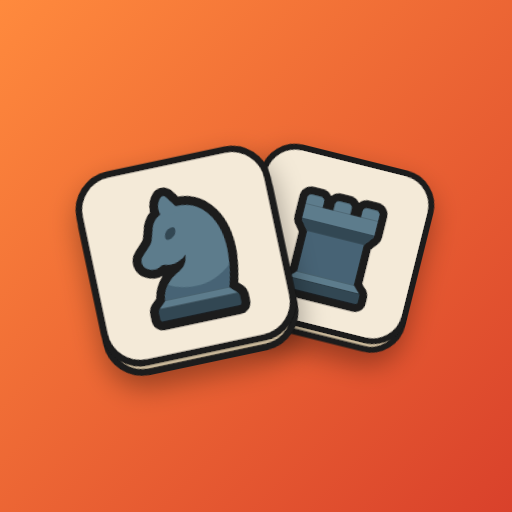
Section titled “The Launcher Icon (3:2 Crop)”The manifest has one icon field. Ours names a 512x512 PNG: icon = "@image/icon.png". On the Virtual Device:
- In system Settings, the entire 1:1 square is displayed.
- On the launcher, the icon is scaled to fill a 3:2 tile, about 304x200 on a 1080p screen, and its top and bottom are cropped.
- Only about the middle two thirds of the icon’s height stay visible there.
So everything that matters in our icon stays between y 100 and y 412 of its 512 pixels, with even side margins. The icon is also opaque: an earlier bare mark on transparency came out distorted on the launcher (FL-16). The launcher on a Fire TV Stick has not been checked.
Verification: native/test/splash.test.ts fails if any artwork in the icon lies outside that band or any of its pixels is transparent. It was checked by enlarging the dice until the test failed.
The Splash Archive (SplashScreenImages.zip)
Section titled “The Splash Archive (SplashScreenImages.zip)”Vega’s animation service reads assets/raw/SplashScreenImages.zip directly when the app launches; nothing in the manifest points at it:
- As Amazon’s splash screen documentation describes, the archive holds a
desc.txtfile (width, height and frame rate, e.g.1920 1080 30, thenc 0 0 _loop) and a_loopdirectory of PNG frames. - Archive root trap:
desc.txtand_loopmust sit at the root of the archive, as that page warns. With a wrapping folder, the animation service on the Virtual Device silently showed nothing. - Deterministic archive:
native/scripts/generate-assets.mjsstamps every entry of the archive with a fixed time, so two builds write byte-identical archives.
Scripted Virtual Device Automation
Section titled “Scripted Virtual Device Automation”To drive the Virtual Device from scripts and coding agents, with nobody at the emulator, Fortemate wrote vega-vvd-driver (vvd), an MIT-licensed tool. It runs on a developer’s machine against a running Virtual Device; CI does not run it.
What we used it for:
- Key presses:
vvd presssendsKEY_KPENTER,KEY_BACKand the arrows through the Android emulator’s gRPCEmulatorController.sendKey, the route the on-screen remote uses. QEMU’ssend-key, the emulator console’sevent sendand the device’sinputd-clireport success and reach no app (FL-08). - Waiting for the screen:
vvd wait-changecompares screenshots and exits 0 as soon as the screen differs from how it looked when the command started, or 1 on timeout, so a script can tell that a press did something. - Frames:
vvd framespolls the emulator’sgetScreenshotand saves each distinct frame it catches; while the screen changes, each screenshot takes 23 to 61 ms. It showed a 220 ms piece slide in flight in 4 to 6 frames, and the dice tumbling in. It is too coarse to count dropped frames, and smoothness on a Fire TV Stick has not been checked.